Your venue sells direct.No aggregator commission.
Your own website and app under your brand, a POS, kitchen, couriers and loyalty, all in one system. Guest payments go straight to your account, and your guests stay yours.
We move your menu over, set up the website, delivery and couriers, and train your staff.
Or try it yourself in the demo café: it is a Ukrainian café, so its prices are in hryvnias.
No subscription and no monthly minimum: 3% of online payments. With a subscription: from €39 a month and at most 0.9%. Aggregators take 25-35%.
- A separate instance of the system and its own database for every venue
- Vitrina was born in a café: its founder has worked with Pyrizhok in Kharkiv since 2016
- Your domain, logo and colours: guests see your brand, not ours
Your venue
Coffee and breakfast around the corner
Cart
- 2 × Cappuccino€6.40
- 1 × Cheese pancakes€7.90
Preparing
Courier on the way
Arriving in 12 min
Delivered
+€0.72 in points for your next order
POS
#128
- 2 × Cappuccino€6.40
- 1 × Cheese pancakes€7.90
Kitchen · order 128
- 2 × Cappuccino
- 1 × Cheese pancakes
Delivery
Courier
Arriving in 12 min- Order
- POS
- Kitchen
- Delivery
- Points
- at most per order on a subscription, while aggregators take 25-35%
- 0.9%
- features in one system
- 38
- interface languages for guests
- 7
- languages for staff
- 11
Why
Sell through an aggregator, and the guest becomes theirs
Aggregators bring you guests, and then keep them. Everything else gets patched together from separate tools that don’t talk to each other.
25-35%
That’s what an aggregator takes from every order
The more you sell through an aggregator, the more you give away. And you have to raise menu prices for everyone.
Market estimate: delivery aggregators’ public rates range from 25 to 35% of the order value, depending on the plan.
Calculate your commissionThe guests aren’t yours
The guest’s phone number, order history and loyalty points stay with the aggregator, so you can’t invite them back directly.
Five tools instead of one
POS, website, delivery, loyalty and bookkeeping each live in a separate tool. The numbers never add up, and staff keep switching between windows.
Vitrina is one system under your brand
Guests order from you, pay you and come back to you. POS, kitchen, delivery and reports all see the same order.
How it works
Follow one order through the whole system
From the guest’s cart to the owner’s report, nothing is typed in twice.
- 1
The guest orders
On your website, in the app or via the QR code on the table.
- 2
Payment goes to your account
Online through your own acquirer, in cash to the courier, or by cash or card at the counter for pickup and dine-in.
- 3
The kitchen gets a ticket
As soon as you accept the order, the ticket prints on the kitchen printer.
- 4
The courier delivers
Courier app: address, guest contact and cash records.
- 5
The guest comes back
Cashback on delivery orders, personal discounts and push notifications in the app.
- 6
You see everything
Sales, food cost, tips and cash collection appear in reports for each location (on the “Full” plan).
What sets us apart
Already working, not “coming soon”
Not promises from a roadmap, but features that are already in the product and can be switched on at your venue.
One system from website to stockroom
The website and app, kitchen tickets, your own couriers with tracking, stock, accounting and the API all work with the same order. Nothing has to be copied from one program to another.
Your own instance, your data and domain
Every venue gets a separate instance of the system with its own database, domain and keys. You export your menu, guests, orders and reports yourself with a button in the admin panel, at any time and free of charge.
Paying at the table without our POS
A guest who ordered with the QR code on the table pays the bill from their phone and can split it by item. You don’t need our POS for this, just QR codes on the tables.
How table ordering works: Paying at the table without our POSAI along the whole order path
AI moves your menu over from a photo or PDF and translates it into your guests’ languages, replies to reviews on your website, reads supplier invoices from a photo and sends an end-of-day report to Telegram after closing. The owner’s assistant answers questions about sales, couriers and stock with figures from your reports.
What the owner’s assistant can do: AI along the whole order pathSelling without internet
When the internet goes down, the tablet POS keeps selling for cash and prints the kitchen ticket through the agent on the venue’s network. How such sales are recorded in your country, we agree with your accountant before launch.
11 languages for staff
The admin panel, the POS and the courier app work in 11 languages: each staff member picks their own, while receipts and kitchen tickets print in the location’s language.
Delivery that counts the money
Zones on the map, a per-kilometre surcharge and a report on whether each delivery order paid off. Guests see the courier on the map and message them in a chat.
How delivery works: Delivery that counts the moneyDish swaps with the guest’s consent
A dish ran out: you offer a swap, and the guest approves it and any extra charge from their phone. Refunds go to the card, in cash or to the guest’s account.
Report on direct orders
On the 1st of each month an email arrives: how many orders came in directly that month, bypassing aggregators, and how much commission you saved on them by our estimate.
Honest statuses instead of promises
Every integration shows whether it works, has been tested with the vendor or is still in progress. The FAQ lists what Vitrina does not have yet, and the commission calculator names the sources of its rates.
All integrations and their statuses: Honest statuses instead of promises
Just added: happy hours and “buy 2, get 1” on chosen dishes, a kitchen display on a tablet and the POS on a waiter’s phone. We’re switching them on for our first venues.
Features
Everything a venue needs, in one system
The website, POS, kitchen, delivery, stock and reports all see the same order, with no exports and no retyping. Each card shows which plan it comes with.
- from the “Start” plan
Ordering website on your own domain
- Menu with portions, options and dish photos
- Delivery, pickup and orders for a set time
- Online payment straight to your account
- A page for every dish that people find on Google
- from the “Full” plan
Your own couriers and tracking
- Delivery zones with a minimum order
- Courier app, order assignment and live map tracking
- Courier cash records and cash collection
- Delivery economics: a distance surcharge and which orders lose money
- from the “Full” plan
Tablet POS
- Fiscal receipts via the Checkbox or Vchasno.Kasa PRRO (Ukraine)
- Table bills, bill splitting and tips
- Cash sales even without internet
- Guest pagers for the counter and food courts
- The same POS on a waiter’s Android phone: the table bill, To kitchen and payment at the table
- Several sole proprietors (FOP) in one venue (Ukraine): a card payment through the PrivatBank terminal is routed to the FOP whose annual limit still fits the amount
- from the “Restaurant” plan
Dining room and QR ordering
- Floor plan and the status of every table
- Guests order via the QR code on the table
- Passing a bill between servers
- from the “Full” plan
Kitchen and printing
- The kitchen ticket prints as soon as the order is accepted
- A kitchen display on a tablet, or tickets on a thermal printer via the print agent
- Sold-out list: guests can’t order a dish that has run out
- separate service
App under your brand
- iOS and Android, on our App Store and Google Play account or in your own
- Push notifications about order status and promotions
- Guest loyalty points and order history
- On the “Full” plan, on our account, it is included in the price
- We publish after the contract: Apple and Google decide whether the app goes into the stores
- from the “Restaurant” plan
Loyalty and promotions
- Cashback in points or a tier discount
- Stamp cards in Apple Wallet and Google Wallet
- Promo codes, happy hours and “buy 2, get 1”, birthday discounts
- from the “Start” plan
Guest reviews
- Reviews after every order
- Only what you approve appears on the website
- AI replies to reviews on your website, for Google coming soon
- from the “Restaurant” plan
Venue Telegram bot
- Your venue’s menu in Telegram, in your name
- Guests see the status of their order
- Speaks the guest languages of your website
- from the “Full” plan
Stock and recipe cards
- Recipe cards and food cost for every dish
- Stock is deducted automatically as you sell
- Purchasing with invoice recognition from a photo
- from the “Full” plan
Accounting
- Order money ledger with CSV export
- Refund balance: credited, redeemed, remaining
- Income by sole proprietor (FOP, Ukraine) and a packaging fee register
- from the “Full” plan
Owner analytics
- Sales, average order value and best-selling dishes
- Separately for each location
- AI end-of-day report in Telegram
- on request
Mailings
- Email, push and Telegram in your venue’s name
- By segment: new guests, regulars, those who haven’t ordered in a while
- Promotions and reminders that bring guests back
- on request
Partner discounts
- Cross-promotion with neighbours: a theatre, a gym, a course provider
- Printed coupons with single-use codes
- Tracking of redeemed coupons
- on request
AI assistant for guests
- Answers questions about the menu
- Suggests dishes to match what the guest asks for
- Hands the conversation to a person when needed
Works with what you already have
- LiqPayTested
- CheckboxTested
- Vchasno.KasaTested
- Thermal printersLive
- Raspberry PiLive
- Google SearchLive
- Google AnalyticsLive
- TelegramLive
- PosterTested
19 more integrations marked “Module ready”, “Awaiting access” or “In progress”: the integrations page explains what and why.
Who it’s for
For any format: from a coffee shop to a chain
One system adapts to your format: switch on what you need, and the rest stays out of your way.
Coffee shops
- Order ahead on the website and pick up without queuing
- Fast sales at the POS, plus tips
- Promo codes and a birthday discount that bring guests back
Cafés and restaurants
- Floor plan and QR ordering at the table
- Kitchen tickets and a sold-out list
- Table bills and bill splitting
Bakeries
- Orders for a set time and pickup
- Recipe cards and food cost for baked goods
- Stock levels and a sold-out list without manual counting
Delivery and dark kitchens
- Your own website and app with no aggregator commission
- Delivery zones and a minimum order
- Couriers with an app and live tracking
Bars
- Table bills and bill splitting
- Menu via the QR code on the table
- Promo codes and evening promotions
Chains of up to 10 locations
- One menu and separate records for each location
- Owner reports for each location
- Staff and access rights across all locations
Under your brand
Guests see your venue, not our platform
Your name, logo, colours, fonts and domain on the website and in the app. Home page layouts: 22 on the website and 3 in the app. Pick a palette to see how the look changes.
- ready-made palettes
- 14
- font pairs
- 28
- home page layouts
- 22
Your venue
Coffee and breakfast around the corner
Cappuccino
€3.20
Almond croissant
€3.60
Cheese pancakes
€7.90
Nothing quite right? We’ll take two colours from your brand book (a primary and an accent) and check their contrast. Your own layout and typography come with the Own Look option.
The demo café is Ukrainian, so its prices are in hryvnias.
Comparison
Vitrina or a typical QR menu service
QR menu services give you a menu and order taking. Vitrina also covers the POS, kitchen, couriers, stock and accounting, all under your brand.
Fees on orders
Vitrina0.9% on “Start”, “Restaurant”, “Full” and “Chain”; 0% on POS sales on every plan
Typical QR menu serviceOften up to 3% of online orders, plus a separate POS subscription from another vendor
Website and brand
VitrinaYour domain, logo and colours
Typical QR menu serviceOften the service’s subdomain, with its name on the page
POS
VitrinaBuilt-in tablet POS
Typical QR menu serviceUsually separate software from another vendor
Delivery
VitrinaCourier app, live tracking and cash records
Typical QR menu serviceUsually just taking delivery orders
Stock
VitrinaRecipe cards, stock levels and purchasing from an invoice photo
Typical QR menu serviceSometimes a separate module, sometimes missing
Accounting
VitrinaMoney ledger, refund balance, income by FOP, packaging register
Typical QR menu serviceUsually not available
AI
VitrinaAn assistant for the owner, an end-of-day report in Telegram and replies to reviews on your website
Typical QR menu serviceSometimes, but not on every plan
Where your data lives
VitrinaA separate instance of the system with its own database
Typical QR menu serviceOne platform shared by all clients
Contract term
VitrinaMonthly billing, no annual commitment
Typical QR menu serviceOften a minimum contract term
Data export
VitrinaMenu, guests, orders and reports with a button in the admin panel, free of charge
Typical QR menu serviceDepends on the service
Example: your own website instead of an aggregator
€3,536 to €5,036 a month
1,000 online orders a month with an average order of €15 add up to €15,000 in revenue. An aggregator charging 25-35% would take €3,750 to €5,250 of it, while Vitrina on the “Restaurant” plan would cost €214 including the subscription.
This is an example, not a forecast: delivery by your own couriers, card acquiring and advertising are paid separately. The calculator works it out with your own numbers.
Calculate with your own numbers“Typical service” summarises the public pricing and descriptions of QR menu services as of October 2026. The terms of a specific service may differ.
Pricing
Plans without aggregator commission
Prices exclude VAT. “Start”, “Restaurant”, “Full” and “Chain”: a subscription plus 0.9% of online orders. The percentage applies only to orders paid online: none on cash, payment on the spot or POS sales, on any plan. Our fee is a separate line in the price list and on the invoice. For the payment itself you pay your acquirer at its own price, with no markup from us.
The discount applies to the plan subscription. Pay for a year and setup is free, plus a month free on “Start”.
Express
An ordering website with delivery, pickup and a QR menu, with no monthly subscription and no minimum: guests pay online only, and you pay only a percentage of online payments.
This is the trial on your own venue: a real website with your menu, nothing paid upfront. If there is no online payment for 60 days in a row, we pause the venue after warning you by email.
- Ordering website on your own domain
- Online menu and a QR code for it
- Delivery and pickup
- Online payment straight to the venue’s account
- Manual sold-out list: take a dish off sale and bring it back
- App: the shared Vitrina appsoon
₴0/mo
+ 3% of online payments (delivery and pickup)
No monthly minimum: no online payments, nothing to pay
Setup 0: you build the website in the wizard, we review it and launch it
Launch with us: ₴1,400 one-off, with your menu transferred, logo, domain and an online session for your staff
Start
Your own ordering website with delivery and online payment, to sell directly, without an aggregator.
/mo
+ 0.9% of online orders
Launch your venueTry it freeOr talk it through with a managerWhat’s included
- Ordering website on your own domain
- Online menu and a QR code for it
- Automatic menu translation into your guests’ languages
- Delivery and pickup
- Online payment straight to the venue’s account
- Manual sold-out list: take a dish off sale and bring it back
- Dish pages that Google finds
- A venue blog with articles in your guests’ languages
- Your venue’s Wi-Fi and social links on the website
- Moderated guest reviews
- Staff notifications in Telegram
- Link with your Poster POS
Coming soon on this plan:
- Link with a Syrve POS
- Recommended
Restaurant
For a venue with a dining room and regulars: ordering and paying the bill at the table by QR, table booking, loyalty points, promotions and a Telegram bot.
/mo
+ 0.9% of online orders
Launch your venueTry it freeOr talk it through with a managerEverything in “Start”, plus:
- Ordering via the QR code on the table
- Calling the waiter or asking for the bill from the guest’s phone
- Table booking
- Paying the bill from the guest’s phone
- Splitting the bill by item from the guest’s phone
- Cashback in loyalty points or a tier discount for regulars
- Stamp cards, with Apple Wallet and Google Wallet set up as a separate launch step
- Promo codes, happy hours and “buy 2, get 1” on chosen dishes, personal discounts and a birthday discount
- Venue Telegram bot for guests
- “Where guests came from” analytics
Coming soon on this plan:
- A booking widget for your website and a button in Google
- AI replies to Google reviews
- Glovo, Wolt and Bolt Food orders once your venue joins their partner programme
Full
The whole system: POS, kitchen, in-house couriers, stock, accounting and an app under your brand.
/mo
+ 0.9% of online orders
Launch your venueTry it freeOr talk it through with a managerEverything in “Restaurant”, plus:
- App under your brand on our App Store and Google Play account
- Priority support in a separate Telegram chat
- Tablet POS with the Checkbox or Vchasno.Kasa PRRO
- POS on the waiter’s Android phone: the table bill, To kitchen and payment at the table
- Guest pagers at the counter: the number on the order and a reminder to buzz it
- Kitchen tickets and receipt printing
- Kitchen display on a tablet: stations, timers and Ready
- In-house couriers: app, tracking, cash records
- Stock, recipe cards, purchasing from an invoice photo and an automatic sold-out list
- Accounting: money ledger, refund balance, income by FOP
- Several sole proprietors (FOP) in one venue: a card payment through the PrivatBank terminal is routed to the FOP whose annual limit still fits the amount, warnings at 80% and 95% of the limit
- Owner analytics by location
- AI end-of-day report in Telegram
- AI assistant for the owner: ask about the business in plain words
- Open API and webhooks for your systems
Chain
From 2 to 10 locations in one city: one system, a shared menu and separate records for each location.
from/mo per location
For a chain of 2-10 locations, the exact total is in your quote+ 0.9% of online orders
Setup: in your quoteDiscuss your chainTry it freeEverything in “Full”, plus:
- POS, staff and records separately for each location
- Owner reports for each location and for the chain as a whole
- From 2 to 10 locations in one city
Guest payments never pass through us
You choose the acquirer, and payments go straight to your account. You pay us a subscription, a one-off setup and at most 0.9% (3% with no subscription) of online orders. Nothing on cash, payment on the spot or POS sales. We don’t hold guests’ money and don’t reserve any of it.
Six acquirers to choose from
LiqPay, monobank or WayForPay in Ukraine, Stripe in the EU, Comgate in Czechia and Slovakia and Paynow in Poland (an mBank account is needed): one provider for all your locations, under your own contract. The monobank, WayForPay and Comgate adapters are written to the providers’ documentation but not yet tested against them, and Paynow has already run on the provider’s sandbox; we run the full test with the first client who chooses one.
Fiscalisation via your provider
In Ukraine we integrate with the Checkbox or Vchasno.Kasa software cash register (PRRO). In the EU we issue the receipt and a certified local service fiscalises it, in countries where we have an adapter for one. We’ll tell you what applies to you before you sign.
Not 25-35%, but at most 0.9% (3% with no subscription)
On “Start”, “Restaurant”, “Full” and “Chain” we take 0.9% of website and app orders. Only what is paid online counts: cash, payment on the spot and POS sales carry no percentage on any plan.
A guest app, three ways
All three work with your menu, prices, bonuses and orders. They differ in whose name is in the store and whose account it is.
The shared Vitrina app
Freesoon
Guests find your venue in the Vitrina app and order from your menu, in your colours, at your prices. The default for every venue, on any plan. The app launches in Ukraine first; other countries are added after the stores’ review.
Under your brand, on our account
₴700/mo, publishing free
Included in the “Full” plan
Except on the “Express” plan, which comes with the shared Vitrina app only.
Your name and icon on the App Store and Google Play, with Complete solution s. r. o. shown as the seller; we handle publishing and updates. Apple and Google decide whether the app is accepted, and there is no monthly fee for an app that isn’t published.
Under your brand, in your accounts
₴700/mo + ₴9,900 one-off for publishing
On the “Full” plan the monthly fee is included; publishing is paid separately
Except on the “Express” plan, which comes with the shared Vitrina app only.
Your company is the seller in the stores: the developer accounts are in your name and you pay Apple ($99 a year) and Google ($25 one-off) directly. We handle the account work, D-U-N-S, publishing and store reviews.
Add-ons
- Marketing, one-off: brand identity from ₴7,900, a mascot for your venue ₴9,900, ad campaign setup ₴4,900
- Marketing, monthly: social media management ₴9,900 (8 posts and 8 stories from your photos), ads on Google, Instagram and Facebook from ₴5,900, ad spend not included
- As an add-on to any plan, from “Express”: stamp cards for ₴490 a month, guest pagers at the counter for ₴590 a month per location
- AI packages for the “AI assistant” (guest chat) and “Analytics” (AI assistant for the owner) modules: “AI Plus” at ₴1,790 a month (the Sonnet model) and “AI Max” at ₴3,590 a month (the Opus model). The token budget is included; once it runs out, the base model answers until the end of the month, with no extra charge. Or use the venue’s own Anthropic key: then any model, no package needed
- On request: AI assistant for guests, mailings, partner discounts
Hardware: what to buy
You buy the hardware yourself in any shop: we don’t resell or rent it out. We’ll tell you what suits your venue and set it up. Shop prices change, so the price here is only for our work.
POS
From the “Full” plan
An Android tablet: the POS interface is designed for the Xiaomi Redmi Pad 2 Pro, and we check any other tablet before launch. The receipt printer opens the cash drawer.
PrivatBank card terminal: the module linking it to the POS is ready, and we test it with the first venue. With another bank’s terminal the cashier marks a card payment manually.
POS setup is included in the “Full” plan setup
Receipt and kitchen ticket printing
From the “Full” plan
80 mm network thermal printers with ESC/POS, for the counter and the kitchen, and a Raspberry Pi mini computer running our print agent on the venue network. Our first client’s café prints on Citizen and Birch.
Printer and print agent setup is included in the “Full” plan setup
Call buttons on the tables
From the “Restaurant” plan
Retekess TD033 glass touch buttons with four actions and a receiver for the mini computer running the print agent. A guest calls the waiter or asks for the bill, and the staff see the call on the POS. We make the shopping list for your number of tables.
Selection and setup ₴1,900 for up to 10 tables, ₴700 for every next 10, no monthly fee
Guest pagers
From the “Full” plan
A set of coaster pagers with a keypad and a charging base, for example Retekess T119. The pager number is printed on the receipt and the kitchen ticket, and when the order is ready the POS reminds you to page the guest from the set’s keypad.
Selection and switching on ₴900 once per location

We can do it for you
Work your venue has no time for. One-off or monthly prices, VAT excluded; no monthly fee for integrations.
Cheaper as a bundle: two monthly marketing services (social media, ads, Google profile, SEO, campaigns) together get 10% off, three or more 15% off, and paying for the services for a year takes off another 10%, up to 20% in total. Discount ceilings: ads and campaigns 15%, Google profile 10%; social media stays at its own price. One-off services ordered with the “Turnkey launch” or with setup get 10% off, except ad setup, dish photos, proofreading and moving.
One-off
Turnkey launch₴15,900
₴13,500 when you pay for a year: setup is free then anyway
Setup of the “Restaurant” plan, your Google profile, a QR kit, photos of up to 20 dishes and an on-site training shift.
Moving from another service₴2,900
Free when you pay for a year
Menu and photos, your guest base and bonuses from the export, redirects from the old addresses and new QR codes for the tables. The first month of your subscription is free if you show an invoice from a service you are still paying during its notice period: an ordering website, a QR menu with ordering or a restaurant system. Purely fiscal services do not count.
Google profile set up for you₴2,900
Categories, opening hours, photos, a link to the menu, order and booking buttons, replies to the first reviews.
Dish photos on sitefrom ₴7,900
A partner photographer comes to your venue and shoots up to 20 dishes; the rights to the photos stay with you.
Connecting an integration₴2,900
Your POS, an aggregator, on-demand couriers or a fiscal service: a one-off fee per integration, no monthly fee. If your plan does not include the module, it is charged separately.
QR kit for tables and packaging₴1,500
Table cards and bag stickers in your brand style, files ready to print; printing at cost.
Menu translation proofreading₴1,500 per language
A native speaker proofreads the automatic menu translation, up to 100 items per language.
Online training₴1,500
One more online session for your staff; the first one is included in the setup.
On-site training shift₴3,900
A specialist spends a whole shift at your venue working with your staff. Travel outside the city is charged separately.
Monthly
Google profile and reviews₴2,900/mo
4 posts a month, up to 30 replies to reviews on Google and on your website, photos supplied by your venue, a short monthly report.
Local SEO₴7,900/mo
Google profile, dish pages, 1 blog article a month, directory listings and a search ranking report.
Campaigns done for you₴3,900/mo
Two campaigns a month by email, push or Telegram, guest segments and a report. The campaigns module is included, SMS at your provider’s rates.
Priority support₴1,900/mo
Included in the “Full” plan
A separate Telegram chat.
Terms written into the contract
Monthly contract
You can leave with 30 days’ notice, with no penalties. A payment in advance is not refunded, except if you terminate because of our material breach.
New prices with notice
We announce a new price at least 30 days ahead. If it doesn’t suit you, you can leave without a penalty.
A fee on online payments only
At most 0.9% (3% with no subscription) of what guests pay online through your acquirer. 0% on POS sales, cash, tips and the packaging fee.
Support 24/7
We accept support requests around the clock, seven days a week: by email and through the “Write to Vitrina support” form in the admin panel.
A monthly contract with no annual commitment; the notice period to end it is 30 days. Setup is paid once and isn’t refunded. Pay for a year and setup and moving from another service are free, with the biggest discount; a yearly contract is available too.
In Ukraine every paid sale needs a fiscal receipt. The POS with the Checkbox PRRO is included in the “Full” plan; you sign the contract with Checkbox and pay its rates yourself. Cash collected by couriers is not passed through the PRRO; agree with your accountant how to handle it before launch. If your sales are registered to several sole proprietors (FOP), the system splits receipts between them by sales channel and warns you when a FOP’s income gets close to the annual limit you enter on your accountant’s advice.
Compare all plans
| Feature | Start | Restaurant | Full | Chain |
|---|---|---|---|---|
| Price per month | ||||
| Fee on orders | 0.9% | 0.9% | 0.9% | 0.9% |
| Setup | In your quote | |||
| A month free when paying for a year | Included | Not included | Not included | Not included |
| Ordering website on your own domain | Included | Included | Included | Included |
| Online menu and a QR code for it | Included | Included | Included | Included |
| Automatic menu translation into your guests’ languages | Included | Included | Included | Included |
| Delivery and pickup | Included | Included | Included | Included |
| Online payment straight to the venue’s account | Included | Included | Included | Included |
| Manual sold-out list: take a dish off sale and bring it back | Included | Included | Included | Included |
| Dish pages that Google finds | Included | Included | Included | Included |
| A venue blog with articles in your guests’ languages | Included | Included | Included | Included |
| Your venue’s Wi-Fi and social links on the website | Included | Included | Included | Included |
| Moderated guest reviews | Included | Included | Included | Included |
| Staff notifications in Telegram | Included | Included | Included | Included |
| Ordering via the QR code on the table | Not included | Included | Included | Included |
| Calling the waiter or asking for the bill from the guest’s phone | Not included | Included | Included | Included |
| Table booking | Not included | Included | Included | Included |
| A booking widget for your website and a button in Google | Not included | Includedsoon | Includedsoon | Includedsoon |
| Paying the bill from the guest’s phone | Not included | Included | Included | Included |
| Splitting the bill by item from the guest’s phone | Not included | Included | Included | Included |
| Cashback in loyalty points or a tier discount for regulars | Not included | Included | Included | Included |
| Stamp cards, with Apple Wallet and Google Wallet set up as a separate launch step | Add-on | Included | Included | Included |
| Promo codes, happy hours and “buy 2, get 1” on chosen dishes, personal discounts and a birthday discount | Not included | Included | Included | Included |
| Venue Telegram bot for guests | Not included | Included | Included | Included |
| “Where guests came from” analytics | Not included | Included | Included | Included |
| AI replies to Google reviews | Not included | Includedsoon | Includedsoon | Includedsoon |
| Glovo, Wolt and Bolt Food orders once your venue joins their partner programme | Not included | Includedsoon | Includedsoon | Includedsoon |
| Link with your Poster POS | Included | Included | Included | Included |
| Link with a Syrve POS | Includedsoon | Includedsoon | Includedsoon | Includedsoon |
| App under your brand on our App Store and Google Play account | Not included | Not included | Included | Included |
| Priority support in a separate Telegram chat | Not included | Not included | Included | Included |
| Tablet POS with the Checkbox or Vchasno.Kasa PRRO | Not included | Not included | Included | Included |
| POS on the waiter’s Android phone: the table bill, To kitchen and payment at the table | Not included | Not included | Included | Included |
| Guest pagers at the counter: the number on the order and a reminder to buzz it | Add-on | Add-on | Included | Included |
| Kitchen tickets and receipt printing | Not included | Not included | Included | Included |
| Kitchen display on a tablet: stations, timers and Ready | Not included | Not included | Included | Included |
| In-house couriers: app, tracking, cash records | Not included | Not included | Included | Included |
| Stock, recipe cards, purchasing from an invoice photo and an automatic sold-out list | Not included | Not included | Included | Included |
| Accounting: money ledger, refund balance, income by FOP | Not included | Not included | Included | Included |
| Several sole proprietors (FOP) in one venue: a card payment through the PrivatBank terminal is routed to the FOP whose annual limit still fits the amount, warnings at 80% and 95% of the limit | Not included | Not included | Included | Included |
| Owner analytics by location | Not included | Not included | Included | Included |
| AI end-of-day report in Telegram | Not included | Not included | Included | Included |
| AI assistant for the owner: ask about the business in plain words | Not included | Not included | Included | Included |
| Open API and webhooks for your systems | Not included | Not included | Included | Included |
Express
An ordering website with delivery, pickup and a QR menu, with no monthly subscription and no minimum: guests pay online only, and you pay only a percentage of online payments.
This is the trial on your own venue: a real website with your menu, nothing paid upfront. If there is no online payment for 60 days in a row, we pause the venue after warning you by email.
- Ordering website on your own domain
- Online menu and a QR code for it
- Delivery and pickup
- Online payment straight to the venue’s account
- Manual sold-out list: take a dish off sale and bring it back
- App: the shared Vitrina appsoon
€0/mo
+ 3% of online payments (delivery and pickup)
No monthly minimum: no online payments, nothing to pay
Setup 0: you build the website in the wizard, we review it and launch it
Launch with us: €99 one-off, with your menu transferred, logo, domain and an online session for your staff
Start
Your own ordering website with delivery, online payment and ordering via the QR code on the table, to sell directly, without an aggregator.
/mo
+ 0.9% of online orders
Launch your venueTry it freeOr talk it through with a managerWhat’s included
- Ordering website on your own domain
- Online menu and a QR code for it
- Automatic menu translation into your guests’ languages
- Delivery and pickup
- Online payment straight to the venue’s account
- Manual sold-out list: take a dish off sale and bring it back
- Dish pages that Google finds
- A venue blog with articles in your guests’ languages
- Your venue’s Wi-Fi and social links on the website
- Moderated guest reviews
- Staff notifications in Telegram
- Ordering via the QR code on the table
- Recommended
Restaurant
For a venue with a dining room and regulars: ordering and paying the bill at the table by QR, table booking, loyalty points, promotions and a Telegram bot.
/mo
+ 0.9% of online orders
Launch your venueTry it freeOr talk it through with a managerEverything in “Start”, plus:
- Calling the waiter or asking for the bill from the guest’s phone
- Table booking
- Paying the bill from the guest’s phone
- Splitting the bill by item from the guest’s phone
- Cashback in loyalty points or a tier discount for regulars
- Stamp cards, with Apple Wallet and Google Wallet set up as a separate launch step
- Promo codes, happy hours and “buy 2, get 1” on chosen dishes, personal discounts and a birthday discount
- Venue Telegram bot for guests
- “Where guests came from” analytics
- Orders and menu sync with Poster
Coming soon on this plan:
- A booking widget for your website and a button in Google
- AI replies to Google reviews
- Glovo, Wolt and Bolt Food orders once your venue joins their partner programme
- Orders and menu sync with Syrve or Dotykačka
Full
Everything for your own ordering channel: an app under your brand, kitchen ticket printing, in-house couriers, inventory and accounting.
/mo
+ 0.9% of online orders
Launch your venueTry it freeOr talk it through with a managerEverything in “Restaurant”, plus:
- App under your brand on our App Store and Google Play account
- Priority support in a separate Telegram chat
- Tablet POS (fiscalisation as a separate launch stage)
- POS on the waiter’s Android phone: the table bill, To kitchen and payment at the table
- Guest pagers at the counter: the number on the order and a reminder to buzz it
- Kitchen tickets and receipt printing
- Kitchen display on a tablet: stations, timers and Ready
- In-house couriers: app, tracking, cash records
- Stock, recipe cards, purchasing from an invoice photo and an automatic sold-out list
- Accounting: money ledger, refund balance, income by FOP
- Owner analytics by location
- AI end-of-day report in Telegram
- AI assistant for the owner: ask about the business in plain words
- Open API and webhooks for your systems
Chain
From 2 to 10 locations in one city: one system, a shared menu and separate records for each location.
from/mo per location
For a chain of 2-10 locations, the exact total is in your quote+ 0.9% of online orders
Setup: in your quoteDiscuss your chainTry it freeEverything in “Full”, plus:
- POS, staff and records separately for each location
- Owner reports for each location and for the chain as a whole
- From 2 to 10 locations in one city
Guest payments never pass through us
You choose the acquirer, and payments go straight to your account. You pay us a subscription, a one-off setup and at most 0.9% (3% with no subscription) of online orders. Nothing on cash, payment on the spot or POS sales. We don’t hold guests’ money and don’t reserve any of it.
Six acquirers to choose from
LiqPay, monobank or WayForPay in Ukraine, Stripe in the EU, Comgate in Czechia and Slovakia and Paynow in Poland (an mBank account is needed): one provider for all your locations, under your own contract. The monobank, WayForPay and Comgate adapters are written to the providers’ documentation but not yet tested against them, and Paynow has already run on the provider’s sandbox; we run the full test with the first client who chooses one.
Fiscalisation via your provider
In Ukraine we integrate with the Checkbox or Vchasno.Kasa software cash register (PRRO). In the EU we issue the receipt and a certified local service fiscalises it, in countries where we have an adapter for one. We’ll tell you what applies to you before you sign.
Not 25-35%, but at most 0.9% (3% with no subscription)
On “Start”, “Restaurant”, “Full” and “Chain” we take 0.9% of website and app orders. Only what is paid online counts: cash, payment on the spot and POS sales carry no percentage on any plan.
A guest app, three ways
All three work with your menu, prices, bonuses and orders. They differ in whose name is in the store and whose account it is.
The shared Vitrina app
Freesoon
Guests find your venue in the Vitrina app and order from your menu, in your colours, at your prices. The default for every venue, on any plan. The app launches in Ukraine first; other countries are added after the stores’ review.
Under your brand, on our account
€39/mo, publishing free
Included in the “Full” plan
Except on the “Express” plan, which comes with the shared Vitrina app only.
Your name and icon on the App Store and Google Play, with Complete solution s. r. o. shown as the seller; we handle publishing and updates. Apple and Google decide whether the app is accepted, and there is no monthly fee for an app that isn’t published.
Under your brand, in your accounts
€39/mo + €290 one-off for publishing
On the “Full” plan the monthly fee is included; publishing is paid separately
Except on the “Express” plan, which comes with the shared Vitrina app only.
Your company is the seller in the stores: the developer accounts are in your name and you pay Apple ($99 a year) and Google ($25 one-off) directly. We handle the account work, D-U-N-S, publishing and store reviews.
Add-ons
- Marketing, one-off: brand identity from €290, a mascot for your venue €390, ad campaign setup €290
- Marketing, monthly: social media management €390 (8 posts and 8 stories from your photos), ads on Google, Instagram and Facebook from €290, ad spend not included
- As an add-on to any plan, from “Express”: stamp cards for €19 a month, guest pagers at the counter for €23 a month per location
- AI packages for the “AI assistant” (guest chat) and “Analytics” (AI assistant for the owner) modules: “AI Plus” at €39 a month (the Sonnet model) and “AI Max” at €79 a month (the Opus model). The token budget is included; once it runs out, the base model answers until the end of the month, with no extra charge. Or use the venue’s own Anthropic key: then any model, no package needed
- On request: AI assistant for guests, mailings, partner discounts
Hardware: what to buy
You buy the hardware yourself in any shop: we don’t resell or rent it out. We’ll tell you what suits your venue and set it up. Shop prices change, so the price here is only for our work.
POS
From the “Full” plan
An Android tablet: the POS interface is designed for the Xiaomi Redmi Pad 2 Pro, and we check any other tablet before launch. The receipt printer opens the cash drawer.
Card terminals aren’t linked to the POS yet: the cashier marks a card payment manually.
POS setup is included in the “Full” plan setup
Receipt and kitchen ticket printing
From the “Full” plan
80 mm network thermal printers with ESC/POS, for the counter and the kitchen, and a Raspberry Pi mini computer running our print agent on the venue network. Our first client’s café prints on Citizen and Birch.
Printer and print agent setup is included in the “Full” plan setup
Call buttons on the tables
From the “Restaurant” plan
Retekess TD033 glass touch buttons with four actions and a receiver for the mini computer running the print agent. A guest calls the waiter or asks for the bill, and the staff see the call on the POS. We make the shopping list for your number of tables.
Selection and setup €129 for up to 10 tables, €49 for every next 10, no monthly fee
Guest pagers
From the “Full” plan
A set of coaster pagers with a keypad and a charging base, for example Retekess T119. The pager number is printed on the receipt and the kitchen ticket, and when the order is ready the POS reminds you to page the guest from the set’s keypad.
Selection and switching on €59 once per location
We can do it for you
Work your venue has no time for. One-off or monthly prices, VAT excluded; no monthly fee for integrations.
Cheaper as a bundle: two monthly marketing services (social media, ads, Google profile, SEO, campaigns) together get 10% off, three or more 15% off, and paying for the services for a year takes off another 10%, up to 20% in total. Discount ceilings: ads and campaigns 15%, Google profile 10%; social media stays at its own price. One-off services ordered with the “Turnkey launch” or with setup get 10% off, except ad setup, dish photos, proofreading and moving.
One-off
Turnkey launch€890
€691 when you pay for a year: setup is free then anyway
Setup of the “Restaurant” plan, your Google profile, a QR kit, photos of up to 20 dishes and an on-site training shift.
Moving from another service€190
Free when you pay for a year
Menu and photos, your guest base and bonuses from the export, redirects from the old addresses and new QR codes for the tables. The first month of your subscription is free if you show an invoice from a service you are still paying during its notice period: an ordering website, a QR menu with ordering or a restaurant system. Purely fiscal services do not count.
Google profile set up for you€149
Categories, opening hours, photos, a link to the menu, order and booking buttons, replies to the first reviews.
Dish photos on sitefrom €490
A partner photographer comes to your venue and shoots up to 20 dishes; the rights to the photos stay with you.
Connecting an integration€149
Your POS, an aggregator, on-demand couriers or a fiscal service: a one-off fee per integration, no monthly fee. If your plan does not include the module, it is charged separately.
QR kit for tables and packaging€79
Table cards and bag stickers in your brand style, files ready to print; printing at cost.
Menu translation proofreading€90 per language
A native speaker proofreads the automatic menu translation, up to 100 items per language.
Online training€79
One more online session for your staff; the first one is included in the setup.
On-site training shift€290
A specialist spends a whole shift at your venue working with your staff. Travel outside the city is charged separately.
Monthly
Google profile and reviews€99/mo
4 posts a month, up to 30 replies to reviews on Google and on your website, photos supplied by your venue, a short monthly report.
Local SEO€290/mo
Google profile, dish pages, 1 blog article a month, directory listings and a search ranking report.
Campaigns done for you€190/mo
Two campaigns a month by email, push or Telegram, guest segments and a report. The campaigns module is included, SMS at your provider’s rates.
Priority support€99/mo
Included in the “Full” plan
A separate Telegram chat.
Terms written into the contract
Monthly contract
You can leave with 30 days’ notice, with no penalties. A payment in advance is not refunded, except if you terminate because of our material breach.
New prices with notice
We announce a new price at least 30 days ahead. If it doesn’t suit you, you can leave without a penalty.
A fee on online payments only
At most 0.9% (3% with no subscription) of what guests pay online through your acquirer. 0% on POS sales, cash, tips and the packaging fee.
Support 24/7
We accept support requests around the clock, seven days a week: by email and through the “Write to Vitrina support” form in the admin panel.
A monthly contract with no annual commitment; the notice period to end it is 30 days. Setup is paid once and isn’t refunded. Pay for a year and setup and moving from another service are free, with the biggest discount; a yearly contract is available too.
VAT-registered businesses in other EU countries account for VAT in their own country (reverse charge). For venues in the EU, separate stages are added to the plan: proofreading of the staff interface translation by a native speaker of your language and, where the law requires it, connecting your country’s fiscal service. Delivery in the EU also needs a dedicated address lookup service (geocoder), and your lawyer prepares the website’s legal texts for your country. We give prices and timelines in your quote.
Compare all plans
| Feature | Start | Restaurant | Full | Chain |
|---|---|---|---|---|
| Price per month | ||||
| Fee on orders | 0.9% | 0.9% | 0.9% | 0.9% |
| Setup | In your quote | |||
| A month free when paying for a year | Included | Not included | Not included | Not included |
| Ordering website on your own domain | Included | Included | Included | Included |
| Online menu and a QR code for it | Included | Included | Included | Included |
| Automatic menu translation into your guests’ languages | Included | Included | Included | Included |
| Delivery and pickup | Included | Included | Included | Included |
| Online payment straight to the venue’s account | Included | Included | Included | Included |
| Manual sold-out list: take a dish off sale and bring it back | Included | Included | Included | Included |
| Dish pages that Google finds | Included | Included | Included | Included |
| A venue blog with articles in your guests’ languages | Included | Included | Included | Included |
| Your venue’s Wi-Fi and social links on the website | Included | Included | Included | Included |
| Moderated guest reviews | Included | Included | Included | Included |
| Staff notifications in Telegram | Included | Included | Included | Included |
| Ordering via the QR code on the table | Included | Included | Included | Included |
| Calling the waiter or asking for the bill from the guest’s phone | Not included | Included | Included | Included |
| Table booking | Not included | Included | Included | Included |
| A booking widget for your website and a button in Google | Not included | Includedsoon | Includedsoon | Includedsoon |
| Paying the bill from the guest’s phone | Not included | Included | Included | Included |
| Splitting the bill by item from the guest’s phone | Not included | Included | Included | Included |
| Cashback in loyalty points or a tier discount for regulars | Not included | Included | Included | Included |
| Stamp cards, with Apple Wallet and Google Wallet set up as a separate launch step | Add-on | Included | Included | Included |
| Promo codes, happy hours and “buy 2, get 1” on chosen dishes, personal discounts and a birthday discount | Not included | Included | Included | Included |
| Venue Telegram bot for guests | Not included | Included | Included | Included |
| “Where guests came from” analytics | Not included | Included | Included | Included |
| AI replies to Google reviews | Not included | Includedsoon | Includedsoon | Includedsoon |
| Glovo, Wolt and Bolt Food orders once your venue joins their partner programme | Not included | Includedsoon | Includedsoon | Includedsoon |
| Orders and menu sync with Poster | Not included | Included | Included | Included |
| Orders and menu sync with Syrve or Dotykačka | Not included | Includedsoon | Includedsoon | Includedsoon |
| App under your brand on our App Store and Google Play account | Not included | Not included | Included | Included |
| Priority support in a separate Telegram chat | Not included | Not included | Included | Included |
| Tablet POS (fiscalisation as a separate launch stage) | Not included | Not included | Included | Included |
| POS on the waiter’s Android phone: the table bill, To kitchen and payment at the table | Not included | Not included | Included | Included |
| Guest pagers at the counter: the number on the order and a reminder to buzz it | Add-on | Add-on | Included | Included |
| Kitchen tickets and receipt printing | Not included | Not included | Included | Included |
| Kitchen display on a tablet: stations, timers and Ready | Not included | Not included | Included | Included |
| In-house couriers: app, tracking, cash records | Not included | Not included | Included | Included |
| Stock, recipe cards, purchasing from an invoice photo and an automatic sold-out list | Not included | Not included | Included | Included |
| Accounting: money ledger, refund balance, income by FOP | Not included | Not included | Included | Included |
| Owner analytics by location | Not included | Not included | Included | Included |
| AI end-of-day report in Telegram | Not included | Not included | Included | Included |
| AI assistant for the owner: ask about the business in plain words | Not included | Not included | Included | Included |
| Open API and webhooks for your systems | Not included | Not included | Included | Included |
Express
An ordering website with delivery, pickup and a QR menu, with no monthly subscription and no minimum: guests pay online only, and you pay only a percentage of online payments.
This is the trial on your own venue: a real website with your menu, nothing paid upfront. If there is no online payment for 60 days in a row, we pause the venue after warning you by email.
- Ordering website on your own domain
- Online menu and a QR code for it
- Delivery and pickup
- Online payment straight to the venue’s account
- Manual sold-out list: take a dish off sale and bring it back
- App: the shared Vitrina appsoon
Kč 0/mo
+ 3% of online payments (delivery and pickup)
No monthly minimum: no online payments, nothing to pay
Setup 0: you build the website in the wizard, we review it and launch it
Launch with us: Kč 2,390 one-off, with your menu transferred, logo, domain and an online session for your staff
Cheaper than “Start” while your online payments stay under Kč 45,238 a month
Start
Your own ordering website with delivery, online payment and ordering via the QR code on the table, to sell directly, without an aggregator.
/mo
+ 0.9% of online orders
Launch your venueTry it freeOr talk it through with a managerWhat’s included
- Ordering website on your own domain
- Online menu and a QR code for it
- Automatic menu translation into your guests’ languages
- Delivery and pickup
- Online payment straight to the venue’s account
- Manual sold-out list: take a dish off sale and bring it back
- Dish pages that Google finds
- A venue blog with articles in your guests’ languages
- Your venue’s Wi-Fi and social links on the website
- Moderated guest reviews
- Staff notifications in Telegram
- Ordering via the QR code on the table
- Recommended
Restaurant
For a venue with a dining room and regulars: ordering and paying the bill at the table by QR, table booking, loyalty points, promotions and a Telegram bot.
/mo
+ 0.9% of online orders
Launch your venueTry it freeOr talk it through with a managerEverything in “Start”, plus:
- Calling the waiter or asking for the bill from the guest’s phone
- Table booking
- Paying the bill from the guest’s phone
- Splitting the bill by item from the guest’s phone
- Cashback in loyalty points or a tier discount for regulars
- Stamp cards, with Apple Wallet and Google Wallet set up as a separate launch step
- Promo codes, happy hours and “buy 2, get 1” on chosen dishes, personal discounts and a birthday discount
- Venue Telegram bot for guests
- “Where guests came from” analytics
- Orders and menu sync with Poster
Coming soon on this plan:
- A booking widget for your website and a button in Google
- AI replies to Google reviews
- Glovo, Wolt and Bolt Food orders once your venue joins their partner programme
- Orders and menu sync with Syrve or Dotykačka
Full
Everything for your own ordering channel: an app under your brand, kitchen ticket printing, in-house couriers, inventory and accounting.
/mo
+ 0.9% of online orders
Launch your venueTry it freeOr talk it through with a managerEverything in “Restaurant”, plus:
- App under your brand on our App Store and Google Play account
- Priority support in a separate Telegram chat
- Tablet POS (fiscalisation as a separate launch stage)
- POS on the waiter’s Android phone: the table bill, To kitchen and payment at the table
- Guest pagers at the counter: the number on the order and a reminder to buzz it
- Kitchen tickets and receipt printing
- Kitchen display on a tablet: stations, timers and Ready
- In-house couriers: app, tracking, cash records
- Stock, recipe cards, purchasing from an invoice photo and an automatic sold-out list
- Accounting: money ledger, refund balance, income by FOP
- Owner analytics by location
- AI end-of-day report in Telegram
- AI assistant for the owner: ask about the business in plain words
- Open API and webhooks for your systems
Chain
From 2 to 10 locations in one city: one system, a shared menu and separate records for each location.
from/mo per location
For a chain of 2-10 locations, the exact total is in your quote+ 0.9% of online orders
Setup: in your quoteDiscuss your chainTry it freeEverything in “Full”, plus:
- POS, staff and records separately for each location
- Owner reports for each location and for the chain as a whole
- From 2 to 10 locations in one city
Guest payments never pass through us
You choose the acquirer, and payments go straight to your account. You pay us a subscription, a one-off setup and at most 0.9% (3% with no subscription) of online orders. Nothing on cash, payment on the spot or POS sales. We don’t hold guests’ money and don’t reserve any of it.
Six acquirers to choose from
LiqPay, monobank or WayForPay in Ukraine, Stripe in the EU, Comgate in Czechia and Slovakia and Paynow in Poland (an mBank account is needed): one provider for all your locations, under your own contract. The monobank, WayForPay and Comgate adapters are written to the providers’ documentation but not yet tested against them, and Paynow has already run on the provider’s sandbox; we run the full test with the first client who chooses one.
Fiscalisation via your provider
In Ukraine we integrate with the Checkbox or Vchasno.Kasa software cash register (PRRO). In the EU we issue the receipt and a certified local service fiscalises it, in countries where we have an adapter for one. We’ll tell you what applies to you before you sign.
Not 25-35%, but at most 0.9% (3% with no subscription)
On “Start”, “Restaurant”, “Full” and “Chain” we take 0.9% of website and app orders. Only what is paid online counts: cash, payment on the spot and POS sales carry no percentage on any plan.
A guest app, three ways
All three work with your menu, prices, bonuses and orders. They differ in whose name is in the store and whose account it is.
The shared Vitrina app
Freesoon
Guests find your venue in the Vitrina app and order from your menu, in your colours, at your prices. The default for every venue, on any plan. The app launches in Ukraine first; other countries are added after the stores’ review.
Under your brand, on our account
Kč 950/mo, publishing free
Included in the “Full” plan
Except on the “Express” plan, which comes with the shared Vitrina app only.
Your name and icon on the App Store and Google Play, with Complete solution s. r. o. shown as the seller; we handle publishing and updates. Apple and Google decide whether the app is accepted, and there is no monthly fee for an app that isn’t published.
Under your brand, in your accounts
Kč 950/mo + Kč 6,990 one-off for publishing
On the “Full” plan the monthly fee is included; publishing is paid separately
Except on the “Express” plan, which comes with the shared Vitrina app only.
Your company is the seller in the stores: the developer accounts are in your name and you pay Apple ($99 a year) and Google ($25 one-off) directly. We handle the account work, D-U-N-S, publishing and store reviews.
Add-ons
- Marketing, one-off: brand identity from Kč 6,990, a mascot for your venue Kč 9,490, ad campaign setup Kč 6,990
- Marketing, monthly: social media management Kč 9,490 (8 posts and 8 stories from your photos), ads on Google, Instagram and Facebook from Kč 6,990, ad spend not included
- As an add-on to any plan, from “Express”: stamp cards for Kč 490 a month, guest pagers at the counter for Kč 590 a month per location
- AI packages for the “AI assistant” (guest chat) and “Analytics” (AI assistant for the owner) modules: “AI Plus” at Kč 990 a month (the Sonnet model) and “AI Max” at Kč 1,890 a month (the Opus model). The token budget is included; once it runs out, the base model answers until the end of the month, with no extra charge. Or use the venue’s own Anthropic key: then any model, no package needed
- On request: AI assistant for guests, mailings, partner discounts
Hardware: what to buy
You buy the hardware yourself in any shop: we don’t resell or rent it out. We’ll tell you what suits your venue and set it up. Shop prices change, so the price here is only for our work.
POS
From the “Full” plan
An Android tablet: the POS interface is designed for the Xiaomi Redmi Pad 2 Pro, and we check any other tablet before launch. The receipt printer opens the cash drawer.
Card terminals aren’t linked to the POS yet: the cashier marks a card payment manually.
POS setup is included in the “Full” plan setup
Receipt and kitchen ticket printing
From the “Full” plan
80 mm network thermal printers with ESC/POS, for the counter and the kitchen, and a Raspberry Pi mini computer running our print agent on the venue network. Our first client’s café prints on Citizen and Birch.
Printer and print agent setup is included in the “Full” plan setup
Call buttons on the tables
From the “Restaurant” plan
Retekess TD033 glass touch buttons with four actions and a receiver for the mini computer running the print agent. A guest calls the waiter or asks for the bill, and the staff see the call on the POS. We make the shopping list for your number of tables.
Selection and setup Kč 3,090 for up to 10 tables, Kč 1,190 for every next 10, no monthly fee
Guest pagers
From the “Full” plan
A set of coaster pagers with a keypad and a charging base, for example Retekess T119. The pager number is printed on the receipt and the kitchen ticket, and when the order is ready the POS reminds you to page the guest from the set’s keypad.
Selection and switching on Kč 1,490 once per location
We can do it for you
Work your venue has no time for. One-off or monthly prices, VAT excluded; no monthly fee for integrations.
Cheaper as a bundle: two monthly marketing services (social media, ads, Google profile, SEO, campaigns) together get 10% off, three or more 15% off, and paying for the services for a year takes off another 10%, up to 20% in total. Discount ceilings: ads and campaigns 15%, Google profile 10%; social media stays at its own price. One-off services ordered with the “Turnkey launch” or with setup get 10% off, except ad setup, dish photos, proofreading and moving.
One-off
Turnkey launchKč 21,590
Kč 16,800 when you pay for a year: setup is free then anyway
Setup of the “Restaurant” plan, your Google profile, a QR kit, photos of up to 20 dishes and an on-site training shift.
Moving from another serviceKč 4,590
Free when you pay for a year
Menu and photos, your guest base and bonuses from the export, redirects from the old addresses and new QR codes for the tables. The first month of your subscription is free if you show an invoice from a service you are still paying during its notice period: an ordering website, a QR menu with ordering or a restaurant system. Purely fiscal services do not count.
Google profile set up for youKč 3,590
Categories, opening hours, photos, a link to the menu, order and booking buttons, replies to the first reviews.
Dish photos on sitefrom Kč 11,890
A partner photographer comes to your venue and shoots up to 20 dishes; the rights to the photos stay with you.
Connecting an integrationKč 3,590
Your POS, an aggregator, on-demand couriers or a fiscal service: a one-off fee per integration, no monthly fee. If your plan does not include the module, it is charged separately.
QR kit for tables and packagingKč 1,890
Table cards and bag stickers in your brand style, files ready to print; printing at cost.
Menu translation proofreadingKč 2,190 per language
A native speaker proofreads the automatic menu translation, up to 100 items per language.
Online trainingKč 1,890
One more online session for your staff; the first one is included in the setup.
On-site training shiftKč 6,990
A specialist spends a whole shift at your venue working with your staff. Travel outside the city is charged separately.
Monthly
Google profile and reviewsKč 2,390/mo
4 posts a month, up to 30 replies to reviews on Google and on your website, photos supplied by your venue, a short monthly report.
Local SEOKč 6,990/mo
Google profile, dish pages, 1 blog article a month, directory listings and a search ranking report.
Campaigns done for youKč 4,590/mo
Two campaigns a month by email, push or Telegram, guest segments and a report. The campaigns module is included, SMS at your provider’s rates.
Priority supportKč 2,390/mo
Included in the “Full” plan
A separate Telegram chat.
Terms written into the contract
Monthly contract
You can leave with 30 days’ notice, with no penalties. A payment in advance is not refunded, except if you terminate because of our material breach.
New prices with notice
We announce a new price at least 30 days ahead. If it doesn’t suit you, you can leave without a penalty.
A fee on online payments only
At most 0.9% (3% with no subscription) of what guests pay online through your acquirer. 0% on POS sales, cash, tips and the packaging fee.
Support 24/7
We accept support requests around the clock, seven days a week: by email and through the “Write to Vitrina support” form in the admin panel.
A monthly contract with no annual commitment; the notice period to end it is 30 days. Setup is paid once and isn’t refunded. Pay for a year and setup and moving from another service are free, with the biggest discount; a yearly contract is available too.
VAT-registered businesses in other EU countries account for VAT in their own country (reverse charge). For venues in the EU, separate stages are added to the plan: proofreading of the staff interface translation by a native speaker of your language and, where the law requires it, connecting your country’s fiscal service. Delivery in the EU also needs a dedicated address lookup service (geocoder), and your lawyer prepares the website’s legal texts for your country. We give prices and timelines in your quote.
Compare all plans
| Feature | Start | Restaurant | Full | Chain |
|---|---|---|---|---|
| Price per month | ||||
| Fee on orders | 0.9% | 0.9% | 0.9% | 0.9% |
| Setup | In your quote | |||
| A month free when paying for a year | Included | Not included | Not included | Not included |
| Ordering website on your own domain | Included | Included | Included | Included |
| Online menu and a QR code for it | Included | Included | Included | Included |
| Automatic menu translation into your guests’ languages | Included | Included | Included | Included |
| Delivery and pickup | Included | Included | Included | Included |
| Online payment straight to the venue’s account | Included | Included | Included | Included |
| Manual sold-out list: take a dish off sale and bring it back | Included | Included | Included | Included |
| Dish pages that Google finds | Included | Included | Included | Included |
| A venue blog with articles in your guests’ languages | Included | Included | Included | Included |
| Your venue’s Wi-Fi and social links on the website | Included | Included | Included | Included |
| Moderated guest reviews | Included | Included | Included | Included |
| Staff notifications in Telegram | Included | Included | Included | Included |
| Ordering via the QR code on the table | Included | Included | Included | Included |
| Calling the waiter or asking for the bill from the guest’s phone | Not included | Included | Included | Included |
| Table booking | Not included | Included | Included | Included |
| A booking widget for your website and a button in Google | Not included | Includedsoon | Includedsoon | Includedsoon |
| Paying the bill from the guest’s phone | Not included | Included | Included | Included |
| Splitting the bill by item from the guest’s phone | Not included | Included | Included | Included |
| Cashback in loyalty points or a tier discount for regulars | Not included | Included | Included | Included |
| Stamp cards, with Apple Wallet and Google Wallet set up as a separate launch step | Add-on | Included | Included | Included |
| Promo codes, happy hours and “buy 2, get 1” on chosen dishes, personal discounts and a birthday discount | Not included | Included | Included | Included |
| Venue Telegram bot for guests | Not included | Included | Included | Included |
| “Where guests came from” analytics | Not included | Included | Included | Included |
| AI replies to Google reviews | Not included | Includedsoon | Includedsoon | Includedsoon |
| Glovo, Wolt and Bolt Food orders once your venue joins their partner programme | Not included | Includedsoon | Includedsoon | Includedsoon |
| Orders and menu sync with Poster | Not included | Included | Included | Included |
| Orders and menu sync with Syrve or Dotykačka | Not included | Includedsoon | Includedsoon | Includedsoon |
| App under your brand on our App Store and Google Play account | Not included | Not included | Included | Included |
| Priority support in a separate Telegram chat | Not included | Not included | Included | Included |
| Tablet POS (fiscalisation as a separate launch stage) | Not included | Not included | Included | Included |
| POS on the waiter’s Android phone: the table bill, To kitchen and payment at the table | Not included | Not included | Included | Included |
| Guest pagers at the counter: the number on the order and a reminder to buzz it | Add-on | Add-on | Included | Included |
| Kitchen tickets and receipt printing | Not included | Not included | Included | Included |
| Kitchen display on a tablet: stations, timers and Ready | Not included | Not included | Included | Included |
| In-house couriers: app, tracking, cash records | Not included | Not included | Included | Included |
| Stock, recipe cards, purchasing from an invoice photo and an automatic sold-out list | Not included | Not included | Included | Included |
| Accounting: money ledger, refund balance, income by FOP | Not included | Not included | Included | Included |
| Owner analytics by location | Not included | Not included | Included | Included |
| AI end-of-day report in Telegram | Not included | Not included | Included | Included |
| AI assistant for the owner: ask about the business in plain words | Not included | Not included | Included | Included |
| Open API and webhooks for your systems | Not included | Not included | Included | Included |
Express
An ordering website with delivery, pickup and a QR menu, with no monthly subscription and no minimum: guests pay online only, and you pay only a percentage of online payments.
This is the trial on your own venue: a real website with your menu, nothing paid upfront. If there is no online payment for 60 days in a row, we pause the venue after warning you by email.
- Ordering website on your own domain
- Online menu and a QR code for it
- Delivery and pickup
- Online payment straight to the venue’s account
- Manual sold-out list: take a dish off sale and bring it back
- App: the shared Vitrina appsoon
zł 0/mo
+ 3% of online payments (delivery and pickup)
No monthly minimum: no online payments, nothing to pay
Setup 0: you build the website in the wizard, we review it and launch it
Launch with us: zł 189 one-off, with your menu transferred, logo, domain and an online session for your staff
Cheaper than “Start” while your online payments stay under zł 9,000 a month
Start
Your own ordering website with delivery, online payment and ordering via the QR code on the table, to sell directly, without an aggregator.
/mo
+ 0.9% of online orders
Launch your venueTry it freeOr talk it through with a managerWhat’s included
- Ordering website on your own domain
- Online menu and a QR code for it
- Automatic menu translation into your guests’ languages
- Delivery and pickup
- Online payment straight to the venue’s account
- Manual sold-out list: take a dish off sale and bring it back
- Dish pages that Google finds
- A venue blog with articles in your guests’ languages
- Your venue’s Wi-Fi and social links on the website
- Moderated guest reviews
- Staff notifications in Telegram
- Ordering via the QR code on the table
- Recommended
Restaurant
For a venue with a dining room and regulars: ordering and paying the bill at the table by QR, table booking, loyalty points, promotions and a Telegram bot.
/mo
0% on orders
Launch your venueTry it freeOr talk it through with a managerEverything in “Start”, plus:
- Calling the waiter or asking for the bill from the guest’s phone
- Table booking
- Paying the bill from the guest’s phone
- Splitting the bill by item from the guest’s phone
- Cashback in loyalty points or a tier discount for regulars
- Stamp cards, with Apple Wallet and Google Wallet set up as a separate launch step
- Promo codes, happy hours and “buy 2, get 1” on chosen dishes, personal discounts and a birthday discount
- Venue Telegram bot for guests
- “Where guests came from” analytics
- Orders and menu sync with Poster
Coming soon on this plan:
- A booking widget for your website and a button in Google
- AI replies to Google reviews
- Glovo, Wolt and Bolt Food orders once your venue joins their partner programme
- Orders and menu sync with Syrve or Dotykačka
Full
Everything for your own ordering channel: an app under your brand, kitchen ticket printing, in-house couriers, inventory and accounting.
/mo
0% on orders
Launch your venueTry it freeOr talk it through with a managerEverything in “Restaurant”, plus:
- App under your brand on our App Store and Google Play account
- Priority support in a separate Telegram chat
- Tablet POS (fiscalisation as a separate launch stage)
- POS on the waiter’s Android phone: the table bill, To kitchen and payment at the table
- Guest pagers at the counter: the number on the order and a reminder to buzz it
- Kitchen tickets and receipt printing
- Kitchen display on a tablet: stations, timers and Ready
- In-house couriers: app, tracking, cash records
- Stock, recipe cards, purchasing from an invoice photo and an automatic sold-out list
- Accounting: money ledger, refund balance, income by FOP
- Owner analytics by location
- AI end-of-day report in Telegram
- AI assistant for the owner: ask about the business in plain words
- Open API and webhooks for your systems
Chain
From 2 to 10 locations in one city: one system, a shared menu and separate records for each location.
from/mo per location
For a chain of 2-10 locations, the exact total is in your quote0% on orders
Setup: in your quoteDiscuss your chainTry it freeEverything in “Full”, plus:
- POS, staff and records separately for each location
- Owner reports for each location and for the chain as a whole
- From 2 to 10 locations in one city
Guest payments never pass through us
You choose the acquirer, and payments go straight to your account. You pay us a subscription, a one-off setup and at most 0.9% (3% with no subscription) of online orders. Nothing on cash, payment on the spot or POS sales. We don’t hold guests’ money and don’t reserve any of it.
Six acquirers to choose from
LiqPay, monobank or WayForPay in Ukraine, Stripe in the EU, Comgate in Czechia and Slovakia and Paynow in Poland (an mBank account is needed): one provider for all your locations, under your own contract. The monobank, WayForPay and Comgate adapters are written to the providers’ documentation but not yet tested against them, and Paynow has already run on the provider’s sandbox; we run the full test with the first client who chooses one.
Fiscalisation via your provider
In Ukraine we integrate with the Checkbox or Vchasno.Kasa software cash register (PRRO). In the EU we issue the receipt and a certified local service fiscalises it, in countries where we have an adapter for one. We’ll tell you what applies to you before you sign.
Not 25-35%, but at most 0.9% (3% with no subscription)
On “Start” we take 0.9% of website and app orders; on “Restaurant”, “Full” and “Chain”, 0%. Only what is paid online counts: cash, payment on the spot and POS sales carry no percentage on any plan.
A guest app, three ways
All three work with your menu, prices, bonuses and orders. They differ in whose name is in the store and whose account it is.
The shared Vitrina app
Freesoon
Guests find your venue in the Vitrina app and order from your menu, in your colours, at your prices. The default for every venue, on any plan. The app launches in Ukraine first; other countries are added after the stores’ review.
Under your brand, on our account
zł 119/mo, publishing free
Included in the “Full” plan
Except on the “Express” plan, which comes with the shared Vitrina app only.
Your name and icon on the App Store and Google Play, with Complete solution s. r. o. shown as the seller; we handle publishing and updates. Apple and Google decide whether the app is accepted, and there is no monthly fee for an app that isn’t published.
Under your brand, in your accounts
zł 119/mo + zł 1,229 one-off for publishing
On the “Full” plan the monthly fee is included; publishing is paid separately
Except on the “Express” plan, which comes with the shared Vitrina app only.
Your company is the seller in the stores: the developer accounts are in your name and you pay Apple ($99 a year) and Google ($25 one-off) directly. We handle the account work, D-U-N-S, publishing and store reviews.
Add-ons
- Marketing, one-off: brand identity from zł 1,229, a mascot for your venue zł 1,659, ad campaign setup zł 1,229
- Marketing, monthly: social media management zł 1,659 (8 posts and 8 stories from your photos), ads on Google, Instagram and Facebook from zł 1,229, ad spend not included
- As an add-on to any plan, from “Express”: stamp cards for zł 79 a month, guest pagers at the counter for zł 99 a month per location
- AI packages for the “AI assistant” (guest chat) and “Analytics” (AI assistant for the owner) modules: “AI Plus” at zł 169 a month (the Sonnet model) and “AI Max” at zł 339 a month (the Opus model). The token budget is included; once it runs out, the base model answers until the end of the month, with no extra charge. Or use the venue’s own Anthropic key: then any model, no package needed
- On request: AI assistant for guests, mailings, partner discounts
Hardware: what to buy
You buy the hardware yourself in any shop: we don’t resell or rent it out. We’ll tell you what suits your venue and set it up. Shop prices change, so the price here is only for our work.
POS
From the “Full” plan
An Android tablet: the POS interface is designed for the Xiaomi Redmi Pad 2 Pro, and we check any other tablet before launch. The receipt printer opens the cash drawer.
Card terminals aren’t linked to the POS yet: the cashier marks a card payment manually.
POS setup is included in the “Full” plan setup
Receipt and kitchen ticket printing
From the “Full” plan
80 mm network thermal printers with ESC/POS, for the counter and the kitchen, and a Raspberry Pi mini computer running our print agent on the venue network. Our first client’s café prints on Citizen and Birch.
Printer and print agent setup is included in the “Full” plan setup
Call buttons on the tables
From the “Restaurant” plan
Retekess TD033 glass touch buttons with four actions and a receiver for the mini computer running the print agent. A guest calls the waiter or asks for the bill, and the staff see the call on the POS. We make the shopping list for your number of tables.
Selection and setup zł 549 for up to 10 tables, zł 209 for every next 10, no monthly fee
Guest pagers
From the “Full” plan
A set of coaster pagers with a keypad and a charging base, for example Retekess T119. The pager number is printed on the receipt and the kitchen ticket, and when the order is ready the POS reminds you to page the guest from the set’s keypad.
Selection and switching on zł 259 once per location
We can do it for you
Work your venue has no time for. One-off or monthly prices, VAT excluded; no monthly fee for integrations.
Cheaper as a bundle: two monthly marketing services (social media, ads, Google profile, SEO, campaigns) together get 10% off, three or more 15% off, and paying for the services for a year takes off another 10%, up to 20% in total. Discount ceilings: ads and campaigns 15%, Google profile 10%; social media stays at its own price. One-off services ordered with the “Turnkey launch” or with setup get 10% off, except ad setup, dish photos, proofreading and moving.
One-off
Turnkey launchzł 3,779
zł 3,510 when you pay for a year: setup is free then anyway
Setup of the “Restaurant” plan, your Google profile, a QR kit, photos of up to 20 dishes and an on-site training shift.
Moving from another servicezł 809
Free when you pay for a year
Menu and photos, your guest base and bonuses from the export, redirects from the old addresses and new QR codes for the tables. The first month of your subscription is free if you show an invoice from a service you are still paying during its notice period: an ordering website, a QR menu with ordering or a restaurant system. Purely fiscal services do not count.
Google profile set up for youzł 629
Categories, opening hours, photos, a link to the menu, order and booking buttons, replies to the first reviews.
Dish photos on sitefrom zł 2,079
A partner photographer comes to your venue and shoots up to 20 dishes; the rights to the photos stay with you.
Connecting an integrationzł 629
Your POS, an aggregator, on-demand couriers or a fiscal service: a one-off fee per integration, no monthly fee. If your plan does not include the module, it is charged separately.
QR kit for tables and packagingzł 339
Table cards and bag stickers in your brand style, files ready to print; printing at cost.
Menu translation proofreadingzł 379 per language
A native speaker proofreads the automatic menu translation, up to 100 items per language.
Online trainingzł 339
One more online session for your staff; the first one is included in the setup.
On-site training shiftzł 1,229
A specialist spends a whole shift at your venue working with your staff. Travel outside the city is charged separately.
Monthly
Google profile and reviewszł 419/mo
4 posts a month, up to 30 replies to reviews on Google and on your website, photos supplied by your venue, a short monthly report.
Local SEOzł 1,229/mo
Google profile, dish pages, 1 blog article a month, directory listings and a search ranking report.
Campaigns done for youzł 809/mo
Two campaigns a month by email, push or Telegram, guest segments and a report. The campaigns module is included, SMS at your provider’s rates.
Priority supportzł 419/mo
Included in the “Full” plan
A separate Telegram chat.
Terms written into the contract
Monthly contract
You can leave with 30 days’ notice, with no penalties. A payment in advance is not refunded, except if you terminate because of our material breach.
New prices with notice
We announce a new price at least 30 days ahead. If it doesn’t suit you, you can leave without a penalty.
A fee on online payments only
At most 0.9% (3% with no subscription) of what guests pay online through your acquirer. 0% on POS sales, cash, tips and the packaging fee.
Support 24/7
We accept support requests around the clock, seven days a week: by email and through the “Write to Vitrina support” form in the admin panel.
A monthly contract with no annual commitment; the notice period to end it is 30 days. Setup is paid once and isn’t refunded. Pay for a year and setup and moving from another service are free, with the biggest discount; a yearly contract is available too.
VAT-registered businesses in other EU countries account for VAT in their own country (reverse charge). For venues in the EU, separate stages are added to the plan: proofreading of the staff interface translation by a native speaker of your language and, where the law requires it, connecting your country’s fiscal service. Delivery in the EU also needs a dedicated address lookup service (geocoder), and your lawyer prepares the website’s legal texts for your country. We give prices and timelines in your quote.
Compare all plans
| Feature | Start | Restaurant | Full | Chain |
|---|---|---|---|---|
| Price per month | ||||
| Fee on orders | 0.9% | 0% | 0% | 0% |
| Setup | In your quote | |||
| A month free when paying for a year | Included | Not included | Not included | Not included |
| Ordering website on your own domain | Included | Included | Included | Included |
| Online menu and a QR code for it | Included | Included | Included | Included |
| Automatic menu translation into your guests’ languages | Included | Included | Included | Included |
| Delivery and pickup | Included | Included | Included | Included |
| Online payment straight to the venue’s account | Included | Included | Included | Included |
| Manual sold-out list: take a dish off sale and bring it back | Included | Included | Included | Included |
| Dish pages that Google finds | Included | Included | Included | Included |
| A venue blog with articles in your guests’ languages | Included | Included | Included | Included |
| Your venue’s Wi-Fi and social links on the website | Included | Included | Included | Included |
| Moderated guest reviews | Included | Included | Included | Included |
| Staff notifications in Telegram | Included | Included | Included | Included |
| Ordering via the QR code on the table | Included | Included | Included | Included |
| Calling the waiter or asking for the bill from the guest’s phone | Not included | Included | Included | Included |
| Table booking | Not included | Included | Included | Included |
| A booking widget for your website and a button in Google | Not included | Includedsoon | Includedsoon | Includedsoon |
| Paying the bill from the guest’s phone | Not included | Included | Included | Included |
| Splitting the bill by item from the guest’s phone | Not included | Included | Included | Included |
| Cashback in loyalty points or a tier discount for regulars | Not included | Included | Included | Included |
| Stamp cards, with Apple Wallet and Google Wallet set up as a separate launch step | Add-on | Included | Included | Included |
| Promo codes, happy hours and “buy 2, get 1” on chosen dishes, personal discounts and a birthday discount | Not included | Included | Included | Included |
| Venue Telegram bot for guests | Not included | Included | Included | Included |
| “Where guests came from” analytics | Not included | Included | Included | Included |
| AI replies to Google reviews | Not included | Includedsoon | Includedsoon | Includedsoon |
| Glovo, Wolt and Bolt Food orders once your venue joins their partner programme | Not included | Includedsoon | Includedsoon | Includedsoon |
| Orders and menu sync with Poster | Not included | Included | Included | Included |
| Orders and menu sync with Syrve or Dotykačka | Not included | Includedsoon | Includedsoon | Includedsoon |
| App under your brand on our App Store and Google Play account | Not included | Not included | Included | Included |
| Priority support in a separate Telegram chat | Not included | Not included | Included | Included |
| Tablet POS (fiscalisation as a separate launch stage) | Not included | Not included | Included | Included |
| POS on the waiter’s Android phone: the table bill, To kitchen and payment at the table | Not included | Not included | Included | Included |
| Guest pagers at the counter: the number on the order and a reminder to buzz it | Add-on | Add-on | Included | Included |
| Kitchen tickets and receipt printing | Not included | Not included | Included | Included |
| Kitchen display on a tablet: stations, timers and Ready | Not included | Not included | Included | Included |
| In-house couriers: app, tracking, cash records | Not included | Not included | Included | Included |
| Stock, recipe cards, purchasing from an invoice photo and an automatic sold-out list | Not included | Not included | Included | Included |
| Accounting: money ledger, refund balance, income by FOP | Not included | Not included | Included | Included |
| Owner analytics by location | Not included | Not included | Included | Included |
| AI end-of-day report in Telegram | Not included | Not included | Included | Included |
| AI assistant for the owner: ask about the business in plain words | Not included | Not included | Included | Included |
| Open API and webhooks for your systems | Not included | Not included | Included | Included |
14-day test drive
Work at your own outlet of the demo café before you pay: place an order with a test card, accept it in the admin panel, switch dishes off, run tables and opening hours. Leave a request with your email and the login arrives by email right away. We’ll show price changes on a call if you’d like one. This is a demo stand, so don’t enter real data there.
The demo café is Ukrainian, so its prices are in hryvnias.
Want to try it on your own venue straight away? “Express” has no subscription and no setup fee: if there is no online payment for 60 days in a row, we pause the venue after an email warning.
Start with “Express”Paid separately at your providers’ rates: acquiring, the fiscal service, App Store and Google Play accounts (if the app is in your own accounts), the domain, the email service and hardware. SMS (sign-in codes, tracking and payment links) is billed by your SMS provider at its rates. AI model usage is in the price of the plan and modules within their limits, with no separate charge for tokens; the “AI Plus” and “AI Max” packages give a stronger model, and with its own Anthropic key the venue pays Anthropic for tokens directly. Hosting and backups are included in the subscription. Your quote shows the exact total.
Ready to launch?
We move your menu over, set up the website, delivery and couriers, and train your staff. Once we agree, we launch the website with ordering, pickup and delivery in 1-2 days. The time is indicative.
Or try it yourself in the demo café: it is a Ukrainian café, so its prices are in hryvnias.
First client
Vitrina grew out of a real café
Vitrina was dreamed up by Mykhaylo Yuminov, who has worked with Pyrizhok, a café in Kharkiv, since 2016. The platform was built on that café’s real menu, recipe cards and day-to-day operations, not on mock-ups.
For years everything ran on Excel, tablets and trust. … And when the internet went down, everything stopped. So we built the system ourselves.
Pyrizhok is launching on the same code you would get, with no custom version: its own instance of the system, its own brand, keys and payment provider.
Read the case study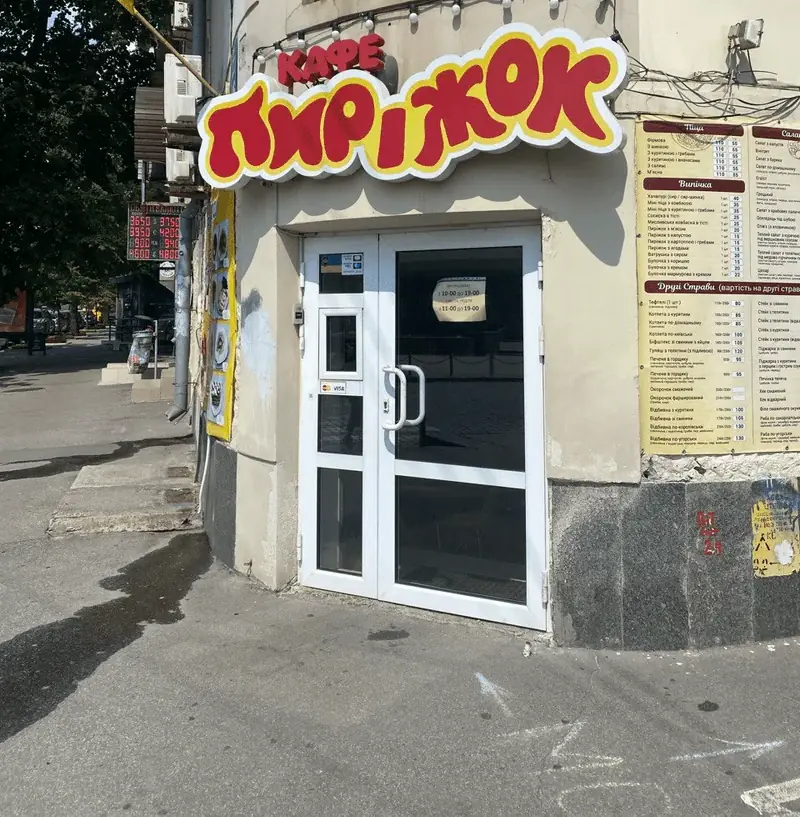
What we built together
- A real menu: portions, options, side dishes and combos
- A tablet POS and kitchen printing
- Delivery with in-house couriers and cash records
- Recipe cards, stock and purchasing with invoice recognition from photos
- Loyalty points and partner discounts
Data
Your data is yours
Your own instance of the system
Its own database and domain, your own payment account and your own bot keys. Your guests’ data never shares a database with other clients’ data.
Backups
We make regular backups.
Export at any time
You export your menu, guests, orders and reports with a button in the admin panel whenever you like, without asking us and free of charge. After the contract ends, the data can be exported within the period in Section 7 of the Terms, and then we delete it.
Two-step staff sign-in
Owners and managers can turn on sign-in with a code sent by email.
GDPR
You are the controller of your guests’ data and we are the processor. The data processing agreement (DPA) is part of the Terms and is published on the website. Guests can delete their own accounts. On the website, analytics runs only with cookie consent. In the app of a venue in the EU it starts only after the guest agrees, while in Ukraine it is on by default and guests can switch it off in Settings. Google Analytics and the Google advertising tag stay off on the website until you turn them on, and they too run only with cookie consent; there are no other third-party trackers or pixels.
Markets
For Ukraine and the EU
Vitrina is developed by Complete Solution, a company based in Slovakia. For every country, we tell you before signing what already works and what will be a separate launch stage.
More on languages, currency and fiscalisation
Guest languages
The guest website and app interface comes in 7 languages, and you choose the set. Polish, German, Slovak and Czech are machine-translated; native-speaker proofreading is a separate item. AI translates dish names and descriptions into your guests’ languages, and machine translations are marked for your staff so that a person can proofread them.
Currency and taxes
Prices in your country’s currency and a VAT rate on every product, with a separate takeaway rate where the law requires one. The receipt prints the VAT breakdown by rate when your country’s fiscal service returns it. Online payment in the EU runs through Stripe: no saved cards, no pay-by-link at the door and no tips after delivery.
Fiscalisation
We issue the receipt, and a certified local service fiscalises it: Nine Digit eKasa in Slovakia, fiskaly in Germany, and efsta with your own fiscal hardware in a number of other countries. The adapters are written but not yet tested with the providers, so connecting one is a separate launch stage, priced and scheduled in your quote. Czechia has no fiscal obligation until 1 January 2027; in Romania, Lithuania and Latvia we don’t offer the POS. In Germany, the POS may be used only once a certified TSE is connected.
Staff language
The admin panel, POS and courier app work in 11 languages, and every staff member sees their own. The translation is machine-made, so a native speaker of your language proofreads it before launch. Receipts and kitchen tickets print in the location’s language.
How is Vitrina different from Glovo, Wolt or Bolt Food?
An aggregator brings you guests, but they remain its guests, and you pay a commission on every order. Vitrina is your own channel: the guest orders on your website or in your app, pays into your account, and their history and loyalty points stay with you. You can keep aggregators as a separate channel: the Glovo, Wolt and Bolt Food adapters are written to their documentation but haven’t yet been tested in the platforms’ sandboxes. Connecting them is a separate module and stage, priced in your quote; Bolt Food has no public API and grants access only under a contract with them.
How long does it take to launch?
It depends on what you launch. Once we agree, we usually launch the website with ordering, pickup and delivery and the admin panel in 1-2 days: AI moves the menu over from a photo or PDF, and you check it before it is saved; guests type the delivery address themselves and drop a pin on the map. Separate stages, with their price and timeline in your quote, are proofreading of the staff interface translation by a native speaker of your language, address suggestions (a dedicated geocoder), the website’s legal texts for your country, prepared by your lawyer, and the POS with your country’s fiscal service: its timeline depends on connecting the certified service, so we agree on it separately. Apps for guests and couriers take 4-6 weeks: App Store and Google Play review is run by Apple and Google, and the D-U-N-S number is issued by Dun & Bradstreet (up to 30 days), so you open the store accounts and apply for D-U-N-S on day one. These times are indicative, and we do not guarantee them.
Do you take a percentage of revenue?
We take nothing from your POS revenue, on any plan. On website and app orders we take 0.9% on “Start”, “Restaurant”, “Full” and “Chain” (aggregators take 25-35%). Only what the guest pays online through your acquirer counts. Orders paid in cash or by terminal on the spot carry no percentage. Apart from that, there is a monthly subscription for your plan and a one-off setup fee. SMS (sign-in codes, tracking and payment links) is billed by your SMS provider at its rates, and the tokens of the AI assistant for guests are in the price of the module within its limits. The “Express” plan has no subscription, no monthly minimum and no setup fee: only 3% of online payments. Menu transfer, logo, domain and a staff training session are optional, as the one-off Launch with us service. Guests pay online only; there is no cash on this plan. If there is no online payment for 60 days in a row, the venue’s website, app, bot and admin panel are paused after an email warning; the data is kept, and everything is restored on request.
Where do guest payments go?
Straight to your account through your own acquirer: LiqPay, monobank or WayForPay in Ukraine, or Stripe in the EU: one provider for your whole business. We never hold guest money. With “Stripe via Vitrina” in the EU, Stripe transfers to us only our fee from each online payment. In Czechia and Slovakia you can also choose Comgate: the adapter is written to its documentation, and we test it with the first client. In Poland you can choose Paynow if the venue banks with mBank: 0.95% of each online payment, BLIK included; the adapter is written to its documentation and run against the Paynow sandbox, and we test the full flow with the first client.
How does fiscalisation work?
In Ukraine, through your Checkbox software cash register (PRRO): you register the cash register and keys to your own business, and we set up the integration. The integration has been tested in Checkbox’s test environment; we issue the first live receipt together with you once your accountant has approved the setup in writing. Receipts work both for a sole proprietor (FOP) who is not registered for VAT and for a company or a VAT payer: each line carries the tax group code from your Checkbox account; the VAT payer receipt has been checked against the Checkbox specification, and the first live one is again issued together with your accountant. In the EU we issue the receipt and a certified local service in your country fiscalises it; connecting it is a separate launch stage. We don’t sell a “certified cash register”: the certified party is your provider. Vchasno.Kasa, a second PRRO for Ukraine, has also passed the provider’s test environment.
What hardware do I need?
An Android tablet for the POS (the interface is designed for the Xiaomi Redmi Pad 2 Pro; another tablet needs a layout check), thermal printers for receipts and kitchen tickets, and a Raspberry Pi mini computer running the print agent on the venue’s network. A link from the POS to a card terminal so far exists only for PrivatBank’s terminal: the module is ready, and we test it with the first venue. With other banks’ terminals, including in the EU, the cashier marks a card payment manually. Recommended kits with the price of our work are in the pricing section.
What happens if the internet goes down?
The POS keeps selling for cash and prints a non-fiscal sales slip and the kitchen ticket through the agent on the local network. The fiscal receipt for such a sale is issued only once the connection is back; we agree with your accountant before launch how offline sales are handled in your country. Offline, card payments, loyalty points, discounts and open table bills are unavailable, so ring such sales up straight away. Online orders print as soon as the connection is back. In Germany, a sale without a connection to the cloud TSE counts as a TSE outage and must be documented.
Can I have my own design?
Yes. With Template: your logo, colours, fonts and home page layout. With Own Look: your own home page layout. With Custom UI: entirely your own screens on top of our API. At the bottom of the website and on the app’s Settings screen there is a muted “Powered by Vitrina” line linking to vitrina.cafe. On the “Express” plan it cannot be turned off; on other plans it can be removed at your request. You can try out the look in the demo café.
Which languages does Vitrina support?
The guest website and app interface works in 7 languages: Ukrainian, English, Polish, German, Slovak, Czech and Russian, and you choose the set for your venue. Polish, German, Slovak and Czech are machine-translated; native-speaker proofreading is a separate item. Guests see dish names and descriptions in their own language: AI translates them, and machine translations are marked for your staff so that a person can proofread them. Promotions on the home page can be written in all of your venue’s languages, while texts for mailings and push notifications can currently be entered only in Ukrainian, Russian and English. The admin panel, POS and courier app work in 11 languages, and each staff member chooses their own; paper receipts and kitchen tickets print in the location’s language.
Who owns the data?
You do. Every client gets its own instance of the system with its own database, so your guests’ data never shares a database with other clients’ data. We host and update the system; the places of processing and the sub-processors are listed at https://complete-solution.eu/legal/sub-processors. Hosting and backups are included in the subscription; a dedicated server just for your system is an add-on with its own price. You export your menu, guests, orders and reports with a button in the admin panel free of charge; after the contract ends, the data can be exported within the period in Section 7 of the Terms, and then we delete it. Your brand and your own domain belong to you. An app on our App Store and Google Play accounts stays ours and is not transferred; an app in your own accounts is yours.
Will there be a mobile app under my brand?
Yes, in three ways. Under your brand on our App Store and Google Play account: €39/mo with no publishing fee, and on the “Full” plan the app is included in the price. In your own accounts: €39/mo + €290 one-off for publishing; on the “Full” plan the monthly fee is included and publishing is paid separately. You register the developer accounts to your company (for Google, an organisation account rather than a personal one) and pay the fees directly: Apple $99 a year, Google $25 one-off. Review times and the decision to accept the app are up to Apple and Google; there is no monthly fee for an app that isn’t published. Except on the “Express” plan, which comes with the shared Vitrina app only. The third way, the shared Vitrina app where guests pick your venue, will be free on any plan: it is being prepared for the stores now.
What is paid separately?
At your providers’ rates: acquiring fees, the fiscal service, App Store and Google Play accounts (if the app is in your own accounts), the domain, the email service for guest emails and hardware. You register your own domain in your name, and we connect it to your website in a paid setup or in the Launch with us service. SMS (sign-in codes, tracking and payment links) is billed by your SMS provider at its rates. AI model usage is in the price of the plan and modules within their limits, with no separate charge for tokens; the “AI Plus” and “AI Max” packages give a stronger model, and with its own Anthropic key the venue pays Anthropic for tokens directly. Hosting and backups are already in the subscription. On the “Express” plan there is no setup fee, so connecting your domain is part of the one-off Launch with us service; without it the website runs on our address.
Can I try it before signing a contract?
Yes. The demo café is a fictional venue with test money: you can browse the website, try out the palettes and place a test order yourself. We’ll show you the admin panel on a demo call and walk you through the POS, printing and courier app using your venue as the example. The demo café is Ukrainian, so its prices are in hryvnias. Want to run it yourself? The test drive is free: leave a request with your email and a login to your own outlet in the demo café for 14 days comes by email right away. To try it on your own venue, take the “Express” plan: no subscription and no setup fee, only 3% of online payments. You build the website in the wizard, and we check and launch it. If there is no online payment for 60 days in a row, we pause the venue after warning you by email; your data is kept.
What doesn’t Vitrina have yet?
Import from iiko (we move your menu over from a CSV spreadsheet); Syrve and Dotykačka have an integration module that we verify together with the first venue, while the Poster link is already checked live. Browser push notifications (push works only in the mobile app). A WhatsApp channel. Replies to Google reviews from the panel: the code is ready, and we are waiting for Google to open access to its API. Separate allergen records: the 14 EU allergens are dish labels that guests see once a person has checked them, and whether that is enough in your country is for your lawyer to decide. A POS for iPhone: the POS and the waiter’s phone run on Android. Selling gift cards on the website: you sell them in the admin panel. Serving courses on the kitchen display. For each item, we’ll tell you whether it’s planned.
What support is included in the subscription?
Support works 24/7: requests are accepted around the clock, seven days a week, by email at contact@complete-solution.eu and through the “Write to Vitrina support” form in the admin panel. AI help in the admin panel is on every plan, including “Start” and “Express”: it answers at once, at any hour, about where to find things and how to do them. With the “Analytics” module the AI assistant also answers questions about your venue from its data. On the “Express” plan AI runs on our key with a limit of $5 a month; once the limit is used up, AI does not answer until the end of the month. Priority support (a separate Telegram chat; response times are not guaranteed) costs €99 a month and is included in the “Full” plan. Custom development for your venue isn’t part of the subscription and is quoted separately.
Can we connect our own POS, CRM or accounting?
Yes. The “Full” and “Chain” plans include an open API: the menu and sold-out list, menu editing, orders and their statuses, new orders paid on receipt, reservations, locations and daily sales, and guest data and points only with a separate permission. The owner issues the key in the admin panel and decides what the integration may do. Your system learns about new orders, payments, cancellations, refunds and deliveries from signed webhooks. Details are on the “API for developers” page.
How long is the contract?
The contract is monthly, with no annual commitment. You export your menu, guests, orders and reports yourself with a button in the admin panel, at any time and free of charge. Pay for a year and setup and moving from another service are free, with the biggest discount; you can also sign a yearly contract. Setup is paid once and isn’t refunded. The notice period to end the contract is 30 days. New prices apply no sooner than 30 days after we notify you, and until then you can end the contract without a penalty.
Is there a free plan?
The “Express” plan has no monthly subscription, no monthly minimum and no setup fee: you build the website in the wizard and send it for approval, we launch it, and then you pay only 3% of orders paid online. A month with no online payments costs nothing. If you would rather we did the menu, logo and domain, there is Launch with us for €99 one-off. It covers the website, QR menu, delivery and pickup. There is no plan with no payment at all: every venue has its own server and database, so a venue with no online payment for 60 days in a row is paused after an email. Want to run it yourself? The test drive is free: leave a request with your email and a login to your own outlet in the demo café for 14 days comes by email right away.
How much does an ordering website really cost per month?
The full cost is the subscription, the service’s percentage and your bank’s card fees. An example, not a forecast: 300 orders a month with a €15 average check and 70% paid online come to about €122 on the “Start” plan, card fees included.
Work it out on your own numbersHow do I move to Vitrina from another service?
First check the contract with the old service: the notice period and whether it hands over your data. Then we export the menu and guests, sort out the domain and QR codes, and both services run side by side for a while. We can do the move for you as a separate service.
Step-by-step guideIs there an app for the owner?
There is no separate owner app, and you don’t need to install one: the admin panel runs in your phone’s browser, and once you add it to the home screen it opens like an app. From the “Start” plan, Telegram brings a morning summary and alerts, plus new bookings and waiter calls if your plan has them; on “Full” an AI review of the day also arrives after closing. Once a month an email reports the orders that came in directly, bypassing aggregators.
Does Vitrina suit a chain of venues?
Yes, if the chain has 2 to 10 locations in one city. The “Chain” plan costs from €119 per location per month: the menu is shared, each location has its own POS, staff and accounting, and reports cover each location and the whole chain. We don’t take on chains of more than 10 locations or locations in different cities yet: one system is built for one city and one time zone. We quote the exact price for a chain in the proposal.
Demo call
Book a demo call
Leave your name and phone number, and we’ll get in touch to find a time that suits you. We’ll show you how Vitrina works and work out the price for your venue.